


With self-publishing becoming easier than ever, more and more authors and content creators are looking for ways to sell their ebooks. And they are right to do so, as the global ebook market continues to grow (it’s expected to reach $18.85 billion by the end of 2026). But while the traditional publishing marketplaces (such as Amazon or Apple Books) do offer a great opportunity for exposure, many self-publishers are trying to break free from the constraints these platforms impose. That’s where starting your own Shopify bookstore can be a smart move.
By learning how to create a Shopify bookstore, you’ll be able to build a branded library that gives you full control over pricing, customer data, and the overall buying experience. To help you do this, we’ll explore together the steps, tools, and strategies you need to set up and manage your own successful digital bookstore.

Why Use Shopify to Sell Ebooks?
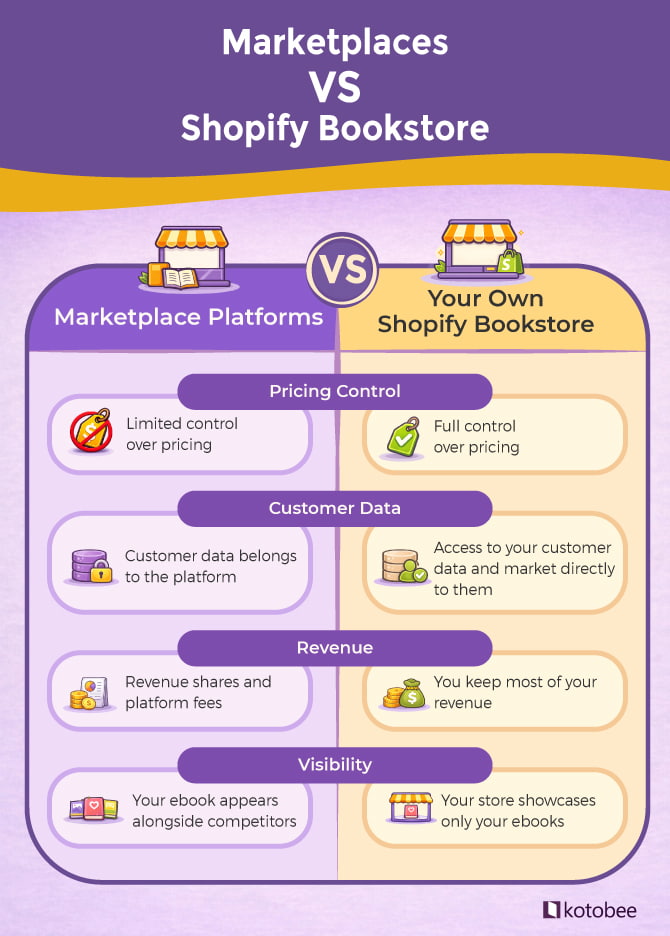
If you sell through large marketplaces (such as Amazon), you’re building their brand, not yours. Shopify, on the other hand, flips that dynamic. Instead of handing over your readers to a third-party seller, it allows you to turn them into your own customers. This means you will be able to maintain a relationship with your readers, manage their data, and achieve long-term growth of your bookstore.
Here’s what a Shopify bookstore can help you with:
- Connect directly with readers: Collect the emails of those who buy from your bookstore and build a mailing list for future launches or promotions.
- Choose your own pricing: Instead of having to follow certain platform pricing rules, you’ll be able to set prices that work for your audience and your business.
- Sell bundles for added value: Combine multiple ebooks or include bonus content to make your offers more enticing.
- Stay independent: Avoid sudden policy changes, account freezes, or other marketplace restrictions.
- Sell where readers already are: Use Shopify’s social integrations that allow your audience to browse and buy from your bookstore without leaving their social feeds.
How to Deliver and Protect Your Ebooks on Shopify
Shopify gives you a powerful storefront, but it doesn’t actually host or deliver ebooks. While it allows you to create product pages, collect payments, and manage customers, it isn’t designed to securely host and distribute digital content. As Shopify states on its website, you’ll need a third-party solution that can host your files and control how readers access them. A basic file-hosting service could technically deliver your ebooks, but it often lacks the tools needed to protect your content or provide a structured reading experience.
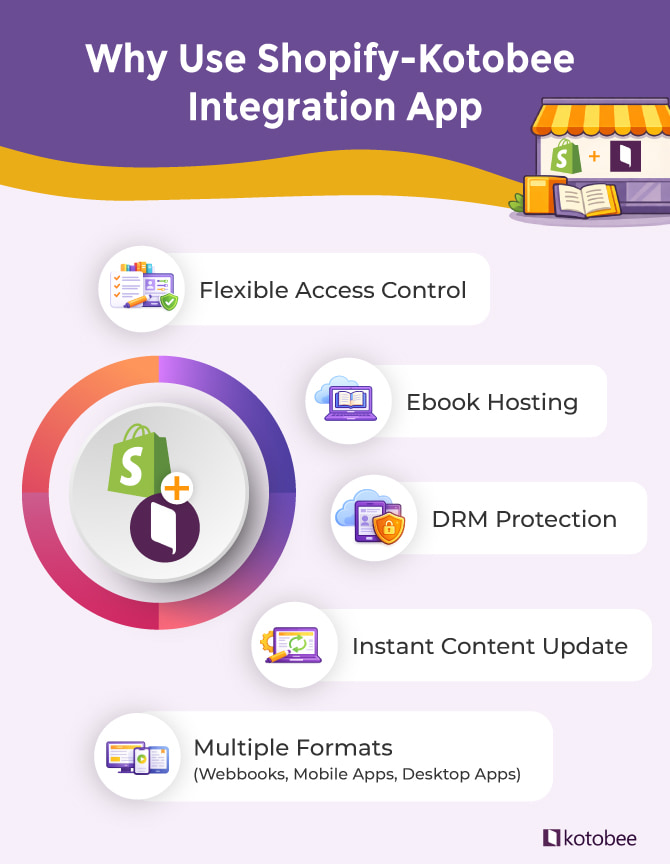
That’s where Kotobee comes in. Built specifically for digital publishing, it integrates with Shopify to securely host, deliver, and manage access to your ebooks. What’s more, you get to benefit from features such as:
- DRM protection to help safeguard your digital content by restricting access to authorized readers who bought the ebook. Once they complete the purchase, they receive a link that allows them to access your content using their email and password.
- Multiple publishing formats that allow you to sell your ebooks as web books that open in a browser, mobile apps that can be downloaded from App Store or Google Play, or desktop apps for both Windows and Mac.
- Flexible access control, which allows you to sell a full ebook, selected chapters, a specific category, or even your entire library.
- Instant content updates to ensure that any edits you make in Kotobee Author are immediately reflected for all readers without having to reupload your ebook and ask them to download the new version.
What You’ll Need Before Creating Your Shopify Bookstore
Before setting up your Shopify bookstore, it helps to prepare a few essential elements. Having these ready will make the setup process much smoother:
- Your finished ebooks prepared and formatted for digital publishing.
- Ebook cover images that will appear on your Shopify product pages.
- A Shopify account to create and manage your bookstore.
- Kotobee Author, which you’ll use to host your ebooks and control reader access, as we mentioned in the above section.
- Basic store information, such as payment methods, tax settings, and business details.
Once you have these elements ready, you can begin building your Shopify bookstore and connecting it to Kotobee.
How to Create Your Own Shopify Bookstore with Kotobee (Step-by-Step)
Ready to start selling your ebooks? Luckily, setting up a Shopify bookstore with Kotobee is easier than you might think. In the steps below, you’ll see exactly what to do to turn your digital content into a professional and profitable online bookstore.
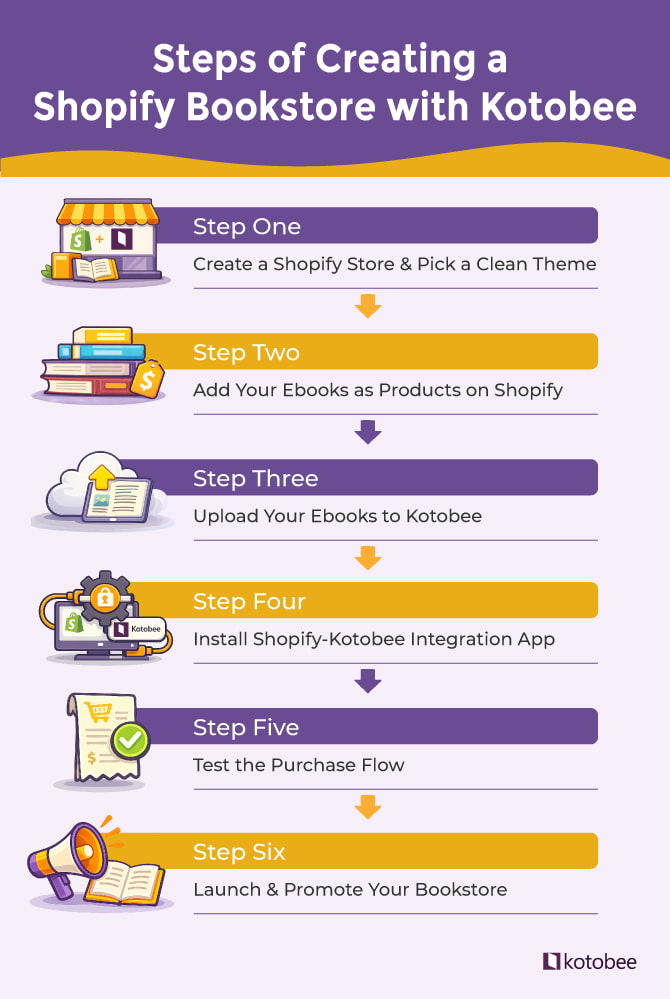
Step One: Create a Shopify Store
Sign up for Shopify and pick a theme that fits a digital bookstore. You’ll find free themes, as well as paid ones starting at $100 and going up to $500. It’s important that, whatever theme you choose, you keep it simple and clean so your ebooks stand out. Once you do that, you’ll need to set up basic store details, including payment methods, taxes, and your business info.
Step Two: Add Your Ebooks as Products
You now need to create a product listing for your ebooks on Shopify; this includes adding a cover image, writing a compelling description, and setting your price. Don’t forget to mark them as digital products, so customers won’t be asked for shipping info at checkout.
Step Three: Upload Your Ebooks to Kotobee
Prepare your ebooks in Kotobee Author and export them as hosted-cloud ebooks. By doing so, they will be uploaded to Kotobee’s secure servers, which will give you full control over who can access your book.
For more details on how to host a cloud ebook on Kotobee, make sure to check the following guide.
Step Four: Install the Shopify-Kotobee Integration App
This app allows you to link your Shopify products to the corresponding ebooks in Kotobee. It also allows you to decide whether buyers get access to the full book, a single chapter, or a set of ebooks from your library. Once a buyer completes a purchase from your Shopify bookstore, they receive an email from Kotobee with a link to the ebook they bought.
The following guide can help you know more about this step: Shopify-Kotobee Integration Plugin
Step Five: Test the Purchase Flow
Before you launch your bookstore, it’s a good idea to make a test purchase first. You need to ensure that the access email is sent correctly and that the buyer can log in and view the ebook without facing any technical issues. This way, you’ll have fewer complaints to deal with, and your customers will have a better experience with your store, which can make them more likely to return.
Step Six: Launch and Promote Your Bookstore
Once you make sure everything is working just fine, it’s time to go live. Share details about your new store with your email list, promote your ebooks on social media, and consider running limited-time offers or discounts to attract early buyers.
You can find many practical marketing ideas in our guide: 5 Simple Book Marketing Strategies That Actually Work.
💡If you need a hand with this Shopify-Kotobee integration, our expert team can guide you through the entire process! Just schedule a free meeting, and they’ll walk you step by step.
Tips for Online Bookstore Owners
Let’s say that now your Shopify bookstore is live, and your ebooks are ready to meet readers. Now comes the fun part: shaping your store into a space that feels professional, inviting, and worth coming back to. Here are some ways to make your bookstore stand out:
- Create a memorable identity: Show off what makes your bookstore unique. This could be your voice, design style, or the specific kind of ebooks you sell. A strong brand helps readers connect with you and return to your store. For example, you can write your product descriptions in a friendly, conversational tone that makes readers feel like they’re getting recommendations from a trusted friend. Your store’s design could also reflect your niche, such as using playful colors and illustrations for a children’s ebook store or a clean, minimal layout for professional guides.
- Narrow your focus: Instead of trying to appeal to everyone, focus on a theme or genre that reflects your passion and expertise. Think of a store dedicated to productivity guides for freelancers, language-learning ebooks, or interactive children’s stories. Such a clear focus makes it easier to attract loyal readers who share your interests.
- Design a thoughtful browsing experience: Organize your ebooks into collections, series, or themed bundles. You can also add recommendations or highlight complementary titles to help your readers discover new content effortlessly.
- Build meaningful connections: Stay in touch with your readers through personalized emails, exclusive offers, or early access to new releases. Other ways to build connections and make your store more than just a marketplace is by hosting virtual book clubs, running fun contests, or creating spaces where readers can discuss your titles. These interactions can keep your readers invested in your bookstore.
- Use analytics data and automations wisely: Smart use of analytics and automation can help your bookstore grow. You could track which ebooks sell the most each month, monitor which genres or topics are most popular with your audience, and set up automated emails to recommend similar titles or follow up with readers who haven’t completed a purchase.
- Integrate with social media: As we mentioned earlier, you can use Shopify’s social media integrations so readers can browse, preview, and buy your ebooks without leaving platforms like Instagram or Facebook.
- Offer subscription options: Let your readers explore your ebook library with unlimited or limited access for a monthly or yearly fee. It’s a simple way to keep them coming back to your bookstore.
- Include audiobooks or supplemental content: Add extra value to your bookstore offerings with audio versions, workbooks, or companion guides. These additions give readers new ways to connect with your content and help your store stand out from what’s already in the market.
Bonus read: How to Make an Audiobook in 5 Steps
Wrapping Up
Creating your own Shopify bookstore gives you the freedom to sell ebooks on your own terms. Instead of relying on large marketplaces, you can build a store that reflects your brand, connect directly with your readers, and control how your content is sold and delivered.
When paired with Kotobee, Shopify becomes a complete solution for selling digital books online. While Shopify manages the storefront and payments, Kotobee takes care of secure hosting, delivery, and reader access, making the entire process simple and reliable.
Now that you know the steps, it’s time to start building your own online bookstore and share your ebooks with readers around the world.
More from Our Blog
When creating a blended learning environment, it’s best to create…
Imagine you’ve been traveling for months. You return home, set…
As an ebook format, EPUB remains the go-to standard for…

