


Choosing a SCORM authoring tool is all about finding the right fit for your unique training goals. And while SCORM is just the standard format that lets your courses work with your LMS, the software options available today to build those courses have become very diverse. You now have to choose between large desktop programs, quick web-based editors, and new tools that use AI to build lessons for you.
With so many different options, it is easy to feel confused. You might wonder if you need a complex tool for total design control or a simple one that helps you finish a project quickly. Your choice depends on your specific situation, as you need a tool that fits both your technical skills and your learning objective.
In this guide, we break down 15 of the best SCORM tools to help you avoid the confusion and find the one that works for your specific elearning project.
What Is a SCORM Authoring Tool?
A SCORM authoring tool is software that allows you to create elearning content and export it in a standardized format called SCORM (Sharable Content Object Reference Model). Think of SCORM as a USB standard for elearning; it allows you to integrate your learning materials with any Learning Management System (LMS).
No matter which tool you use to create these materials, the SCORM format ensures your LMS can track the following
- Completion and course status: You’ll be able to automatically verify if a learner has finished the material and whether they achieved a “Pass” or “Fail” result.
- Progress measurement: See exactly how much of the course each learner has navigated and where they stopped.
- Detailed scoring: The LMS can capture and record the learner’s specific score on every quiz, test, or knowledge check within the module.
- Time tracking: Monitor both session time and total time spent viewing and interacting with the content to measure engagement levels.
Important read: What Is SCORM? And How to Create a SCORM File?
How to Choose a SCORM Authoring Tool?
Picking the right tool is really about finding software that matches your specific learning objectives. For example, you don’t want to wrestle with a complex, old-school desktop program if your only goal is to roll out simple, bite-sized quizzes that people can take on their phones. To avoid any difficulties and make sure your learners get a smooth experience, there are a few things you should keep in mind:
- Learning curve and skill level: The best tool is the one your team can actually use. Some platforms require weeks of specialized training, while others use intuitive drag-and-drop interfaces or familiar PowerPoint-style layouts.
- Interactivity requirements: The type of activities you want to build will dictate the software you need. If you just need simple text or basic quizzes, a lightweight template-based tool will work perfectly. However, if you need advanced branching scenarios, software simulations, or custom games, you will need a more advanced platform that supports such customization.
- LMS compatibility and data tracking: Even though SCORM is a universal standard, different tools support different versions of it, like SCORM 1.2 or SCORM 2004. Because of this, you need to make sure the software can export the exact version your LMS requires to track data properly.
- Collaboration features: If multiple people need to work on the same project simultaneously, then choose tools with cloud-based collaboration. Look for features like real-time co-authoring, shared asset libraries, and built-in review links that allow team members to leave feedback directly inside the learning materials.
- Total cost: Look beyond the initial sticker price and make sure you understand the long-term costs. In addition to monthly or annual subscription fees, some tools may charge extra for major software upgrades, premium technical support, and the training time required for your team to stay proficient.
Best SCORM Authoring Tools
Now that you know what to look for, let’s look at some of the great tools in today’s marketing. It’s important to keep in mind, however, that there isn’t a single “perfect” piece of software here; the best choice simply depends on what you are trying to build. Some of the options below are great for creating text-based courses in a few minutes, while others give you total creative control over advanced options.
The Tools at a Glance
| Tool | Type | Starting Price | Best Used For |
| Kotobee Author | Desktop software | $300 one-time payment (Premium SCORM plan) | Converting manuals and textbooks into interactive SCORM content. |
| Articulate 360 | Hybrid (Desktop & Cloud-based) | $1,499 per user/year | Professional instructional design and all-in-one corporate training. |
| Adobe Captivate | Desktop | $33.99 per month (Individual license) | Creating technical walk-throughs and complex software simulations. |
| iSpring Suite | Desktop (PowerPoint Integrated) | $970 per user/year | Quickly turning existing PowerPoint presentations into interactive modules. |
| Easygenerator | Cloud-based | $116 per user/month | Non-designers who need to create straightforward learning materials without a learning curve. |
| Lectora | Hybrid (Desktop & Cloud) | $129 per user/month | Complex, highly interactive courses that must meet strict accessibility requirements. |
| Elucidat | Cloud-based | $1,650 per user/year | Enterprise teams that need to produce and translate branded content at a large scale. |
| dominKnow | ONE | Cloud-based (Authoring Tool + LCMS) | $2,000 per user/year | Large teams that need to keep information accurate and consistent across different courses. |
| SimTutor Author | Cloud-based | Personalized pricing model (Per learner) | Practical, step-by-step training in fields like healthcare, manufacturing, or lab safety. |
| Evolve | Cloud-based | $588 per user/year | Creating visually modern, scrolling courses that work perfectly across mobile and desktop. |
| Camtasia | Desktop | $179.88 per user/year (Essentials plan for watermark-free SCORM) | Software tutorials, video-heavy training, and screen-capture demonstrations. |
| Gomo | Cloud-based | $1,035 per year | Large, distributed teams creating content that must be perfectly optimized for a mobile workforce. |
| Coassemble | Cloud-based | $100/month (Up to 5 creators) | Smaller teams or startups that need a simple, cost-effective way to create microlearning content. |
| Genially | Cloud-based | $600 per user/year (Author tier for SCORM/LMS integration) | Creating gamified, highly interactive training. |
| Adapt | Open-source (Self-hosted) | Free | Organizations with technical staff who need a highly customizable, mobile-first design without license costs. |
1. Kotobee Author

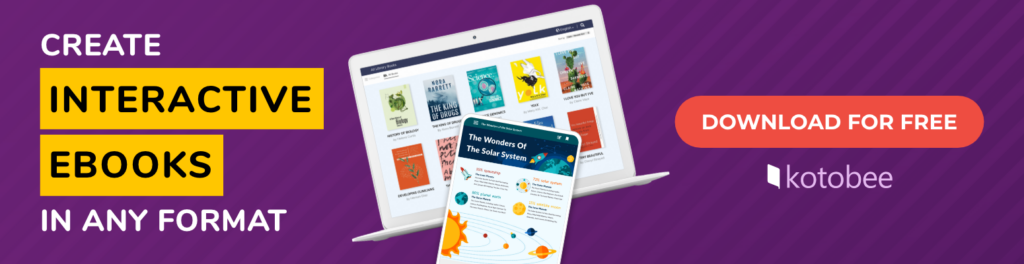
As an ebook creator, Kotobee Author helps you turn text-heavy materials (like manuals and textbooks) into digital books with interactive elements (such as quizzes, videos, audio, and animations). It includes an AI tool for generating text, images, and questions, as well as ready-made templates to help structure an ebook quickly. An expert team is also available to handle the entire conversion and design process for those who prefer not to build it themselves.
Teams can also collaborate on ebook projects by using Kotobee’s hosting solutions, such as Hosted Ebooks or Kotobee Library. These cloud options allow you to grant editing access to multiple authors while using custom user roles to manage permissions.
- Type: Desktop software
- Starting Price: $300 one-time payment (for the Premium SCORM-enabled plan)
- Best Used For: Converting manuals and textbooks into interactive SCORM content.
2. Articulate 360

This subscription-based platform provides tools for building PowerPoint-style lessons (Storyline 360) or scrolling web-based courses (Rise 360). Course creators also have access to a large collection of templates to help speed up the content creation process. Additionally, you’ll find a built-in AI assistant that generates content outlines and images, along with a dedicated app called Review 360, where teammates can leave feedback on lesson drafts.
- Type: Hybrid (Desktop & Cloud-based)
- Starting Price: $1,499 per user/year
- Best Used For: Professional instructional design and all-in-one corporate training.
3. Adobe Captivate
Made especially for technical training, this software is mainly used to create simulations. You can record a screen to build interactive lessons where learners must perform the correct clicks to move forward. It includes an AI tool for creating text and images, and it uses a responsive system so content automatically fits everything from mobile phones to desktop monitors.
- Type: Desktop
- Starting Price: $33.99 per month (for the individual license)
- Best Used For: Creating technical walk-throughs and complex software simulations.
4. iSpring Suite

As an extension for Microsoft PowerPoint, iSpring Suite adds a dedicated set of tools to the existing PowerPoint menu. It then allows you to transform standard slides into interactive lessons by adding quizzes, role-plays, and videos. On top of that, it includes an AI feature for generating text and voiceovers, along with a cloud space where you can share projects with others to collect their feedback.
- Type: Desktop (PowerPoint Integrated)
- Starting Price: $970 per user/year
- Best Used For: Quickly turning existing PowerPoint presentations into interactive modules.
5. Easygenerator
This cloud-based tool lets you build simple courses and interactive quizzes without needing any design experience. It uses a drag-and-drop system to turn your text and media into organized lessons without any technical complexity. It also offers an AI feature that can automatically translate your courses or write assessment questions for you. And since it’s web-based, multiple team members can open the same project to review content and collaborate in real time.
- Type: Cloud-based
- Starting Price: $116 per user/month
- Best Used For: Non-designers who need to create straightforward learning materials without a learning curve.
6. Lectora

Often chosen for its advanced capabilities, Lectora helps you create branching scenarios and conditional actions within a lesson. It is particularly strong in accessibility, as it offers extensive tools to ensure content meets strict standards for learners with disabilities. You’ll also find an integrated AI assistant to help you brainstorm course outlines and generate initial text drafts. Once your draft is ready, the built-in ReviewLink tool lets your team collaborate and leave feedback directly on the project.
- Type: Hybrid (Desktop & Cloud)
- Starting Price: $129 per user/month
- Best Used For: Complex, highly interactive courses that must meet strict accessibility requirements.
7. Elucidat
This platform focuses on helping large organizations produce high volumes of content quickly. It allows you to create company-branded templates to ensure every course stays consistent with company branding, regardless of who on the team is building it. The platform also has an AI feature for generating quiz questions and page content, and it offers an automated translation tool that can convert a single course into over 75 different languages simultaneously.
- Type: Cloud-based
- Starting Price: $1,650 per user/year
- Best Used For: Enterprise teams needing to produce and translate branded content at a large scale.
8. dominKnow | ONE
Combining a SCORM authoring tool with a Learning Content Management System (LCMS), this platform serves as both a content creator and a central storage hub. Unlike traditional tools that save courses as isolated files, it stores all your images, videos, and text blocks in a shared library to be reused across multiple projects. If you update a single resource in the library, the change automatically reflects in every course where that item is used. This allows your teams to manage and export large volumes of consistent SCORM content from one location.
- Type: Cloud-based (Authoring Tool + LCMS)
- Starting Price: $2000 per user/year
- Best Used For: Large teams that need to keep information accurate and consistent across the different courses.
9. SimTutor Author
With its main focus on technical and procedural training, SimTutor allows you to create branching simulations based on real-world tasks. It is designed to turn photos or videos of equipment into interactive hotspots, and learners must perform steps in the correct order to succeed. The software also includes an AI script generator to help build scenarios quickly, and it provides detailed reporting that shows you exactly where a learner failed during a complex procedure.
- Type: Cloud-based
- Starting Price: Personalized pricing model (per end user (the person taking the course))
- Best Used For: Practical, step-by-step training in fields like healthcare, manufacturing, or lab safety.
10. Evolve

Developed by Intellum, Evolve helps you create responsive, scroll-based courses that feel like modern websites. It uses a block-based editor, so you can easily stack media, carousels, and flip cards to put your educational material together. The platform also has a live previewing and contextual commenting feature, so your team can leave feedback directly on specific sections of a course. And with its Cloud Sync functionality, you can update published content instantly without having to manually re-upload SCORM packages to your LMS.
- Type: Cloud-based
- Starting Price: $588 per user/year
- Best Used For: Creating visually modern, scrolling courses that work perfectly across mobile devices and desktop browsers.
11. Camtasia
While often categorized as a video editor, this software is a powerful tool for creating video-based SCORM lessons, especially for software demonstrations. It allows you to record your computer screen and voice simultaneously, then add interactive elements like clickable buttons, table of contents markers, and even embedded quizzes directly into the video timeline. Once you’re done with the video, it can be exported as a SCORM-compliant package that reports completion and quiz scores to a Learning Management System.
- Type: Desktop
- Starting Price: $39 per user/year (Starter plan with watermarks); $179.88 per user/year (Essentials plan for professional, watermark-free SCORM export).
- Best Used For: Software tutorials, video-heavy training, and screen-capture demonstrations with basic interactivity.
12. Gomo
Gomo is designed for teams that prioritize a responsive design above all else. Unlike the other slide-based tools that shrink content to fit a screen, this tool uses a grid system that automatically reflows text and images to ensure they are clear on any device. It features a built-in AI assistant that can generate entire course structures, introductions, and quiz questions from a single prompt. And because it is a collaborative platform, multiple authors can review and edit the same course simultaneously. Additionally, its instant update feature allows you to push changes to a live SCORM course without needing to replace the file in your LMS.
- Type: Cloud-based
- Starting Price: $1,035 per year (according to Capterra & eLearning Industry)
- Best Used For: Large, distributed teams creating content that must be perfectly optimized for a mobile workforce.
13. Coassemble
Coassemble is an excellent option if you want to build engaging microlearning without having to use advanced software. It features a great AI assistant that can take your existing PDFs, documents, or raw text and quickly turn them into bite-sized courses, interactive flashcards, and quizzes. Best of all, it supports both SCORM 1.2 and 2004 exports, and even includes Dynamic SCORM on its entry plans, meaning if you fix a typo or update information in Coassemble, those changes instantly sync to your LMS without forcing you to re-upload a new file.
- Type: Cloud-based
- Starting Price: $100/month (Up to 5 creators)
- Best Used For: Smaller teams or startups that need a simple, cost-effective way to build and manage a library of SCORM-compliant training.
14. Genially

This tool is built for creating highly visual, interactive content that feels more like a game than a traditional training course. You can choose from thousands of templates to build click-to-reveal interactions, digital escape rooms, and branching scenarios. It also allows you to update your content within the Genially editor and have those changes reflected automatically in your LMS without you needing to download, re-package, or re-upload any files.
- Type: Cloud-based
- Starting Price: $600 per user/year (Author tier for SCORM and LMS integration)
- Best Used For: Creating gamified, highly interactive training that stays up-to-date across your platforms with minimal manual effort.
15. Adapt
Adapt is an open-source framework rather than a commercial product, meaning you don’t have to pay a licensing fee to use it. It is designed to produce scroll-based, responsive courses that behave like modern websites. You should be aware that it requires a more technical setup (typically involving a web server and a command-line configuration), so you will likely need developer support to get it running. Once established, you have total control over the code and can utilize a large library of free, community-created plugins to add unique features and visual themes to your projects.
- Type: Open-source (Self-hosted)
- Starting Price: Free
- Best Used For: Organizations with technical staff who need a highly customizable, mobile-first design without recurring software costs.
Summing Up
The best SCORM authoring tool ultimately depends on what you need to create. Some platforms are built for speed and simplicity, while others focus on advanced interactivity, simulations, collaboration, or large-scale content production. By understanding your learning goals, technical requirements, and team workflow, you can narrow down the options much more easily.
More from Our Blog
The way we find our next read is no longer…
To use a pen name or not to use a…
With self-publishing becoming easier than ever, more and more authors…

