

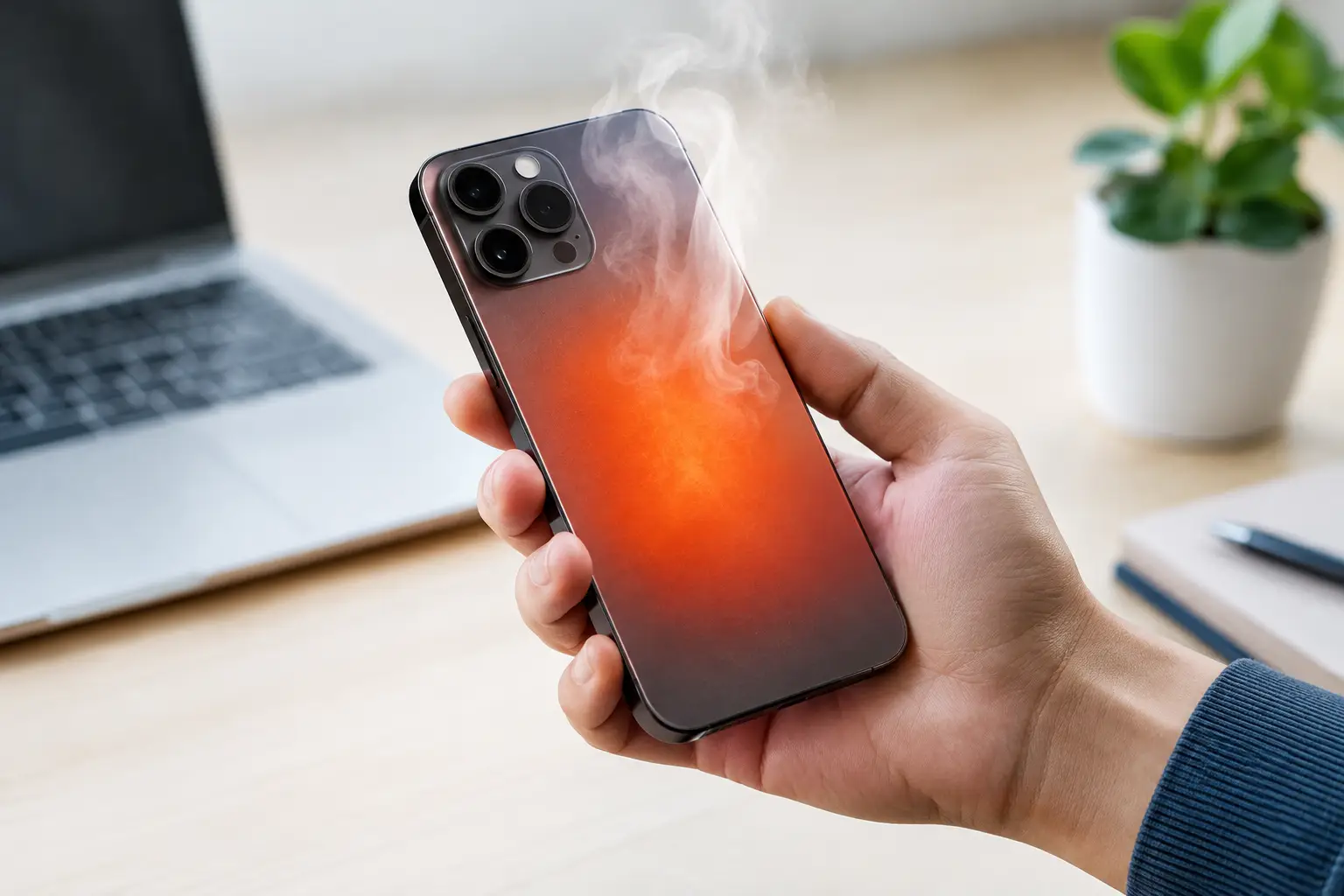
Your phone feels hot in your hand, the screen dims, apps start lagging and charging suddenly slows down. It is a frustrating moment, particularly when you need maps, tickets or a quick reply. So, why do phones overheat? Usually, the handset is working harder than usual or struggling to shed heat, but occasionally it can point to a battery or hardware fault.
A warm phone after a video call or a long gaming session is not automatically a problem. Smartphones contain powerful processors, high-resolution screens and batteries packed into a very small space. The concern starts when heat keeps building, performance drops sharply, or the phone becomes too hot to hold.
Why Do Phones Overheat During Everyday Use?
Heat is a normal by-product of electricity moving through a phone. The processor warms up while it handles demanding tasks, the battery produces heat as it charges or discharges, and mobile connections use more power when the signal is poor. A phone can usually manage this heat by slowing down slightly or limiting certain features.
Trouble begins when several heat-producing jobs happen at once. Think of using sat-nav in direct sunshine while streaming music, charging from the car and taking calls through a weak mobile signal. Each task may be manageable on its own. Combined, they can push the handset past its comfortable operating temperature.
Demanding apps, games and camera use
Games with detailed graphics are a common cause because they keep the processor and graphics chip running at high speed. Video editing, livestreaming, long video calls and augmented-reality apps can have a similar effect. Recording 4K video, especially outdoors on a bright day, also asks a lot of the camera system, screen and processor at the same time.
Some apps may continue working in the background after you stop using them. A social app repeatedly refreshing, a navigation app tracking location, or a cloud service uploading a large batch of photos can drain power and create heat without being obvious. If overheating happens repeatedly, checking battery usage can reveal which app is unusually active.
Charging adds another source of heat
Fast charging is convenient, but it naturally makes a phone warmer than slow charging. Wireless charging can add even more heat because energy transfer is less efficient and the phone needs to sit in exactly the right position on the pad. A thick case can trap that warmth.
Most modern handsets regulate charging when temperatures rise, which is why a phone may charge slowly or pause charging altogether. That safety measure can feel inconvenient, but it is there to protect the battery. Using a poor-quality, damaged or incompatible cable, plug or charging pad can make matters worse, particularly if it fails to manage power correctly.
Hot weather and direct sunlight
A phone left on a sunny windowsill, dashboard or beach towel can heat up remarkably quickly. Unlike people, it cannot cool itself by sweating. Dark cases and direct sunlight make the problem more likely, while a closed car can become dangerously hot in a short time.
British summers may not always feel extreme, but a phone mounted near a windscreen can still overheat during a warm drive. On holiday, temperatures that feel pleasant to you may be well beyond what a phone is designed to handle. The same applies to using a handset beside a heater or under a pillow while charging.
Weak signal makes phones work harder
When reception is patchy, a phone repeatedly searches for a stronger connection. That activity uses more battery power than many people realise. Underground trains, rural areas, crowded events and some large buildings can all trigger the issue.
If your phone runs hot only in places with unreliable coverage, switch to Wi-Fi where possible or use aeroplane mode for a while if you do not need a connection. It is a simple test that can separate a signal problem from an app or battery issue.
What to Do When Your Phone Gets Too Hot
The quickest fix is to reduce the phone’s workload and move it somewhere cooler. Stop gaming, filming, streaming or navigating for a few minutes. Take it out of direct sunlight, remove it from a warm pocket or bag, and disconnect the charger.
Taking off a bulky case can help heat escape faster. Lower the screen brightness, close demanding apps and turn off features you do not need, such as Bluetooth, mobile data or location services. If the phone is still very hot, switch it off and let it rest at room temperature.
Do not put an overheated phone in a fridge, freezer or against an ice pack. Rapid cooling can cause condensation inside the device, creating a separate risk of moisture damage. The goal is gradual cooling, not a dramatic temperature change.
It is also worth restarting the phone once it has cooled. A restart can stop a stuck process that has been quietly using processor power in the background. Then install any pending operating system and app updates, as software bugs can occasionally lead to excess battery use and heat.
When Overheating Could Mean a Bigger Problem
A phone that gets warm under pressure is normal. A phone that overheats while sitting unused on a table is not. Repeated overheating during light use can suggest a faulty app, ageing battery, charging issue or internal hardware problem.
Pay close attention to battery behaviour. If the back of the handset is bulging, the screen is lifting, there is a chemical smell, or the battery percentage drops unusually fast, stop using and charging the phone. A swollen battery can be hazardous and should be assessed by a qualified repair provider or the manufacturer.
Frequent warning messages are another sign to take seriously. Many phones display a temperature alert and temporarily disable the camera, flash, charging or cellular service until they cool down. One warning after filming in blazing sunshine may be explainable. Several warnings in normal indoor conditions deserve further investigation.
Water damage can also cause heat problems, even if the phone appears to work at first. Corrosion or a short circuit may develop later, so overheating after a spill or a soaked commute is a good reason to get the device checked.
How to Stop Phone Overheating From Becoming a Habit
Small habits make a difference, particularly if your phone regularly handles gaming, work calls or navigation. Avoid charging it under bedding or on a soft sofa where heat cannot escape. Use the cable and plug supplied with the phone, or reputable compatible accessories, and keep the charging port free from lint and damage.
Give the battery an easier life by avoiding long periods at either extreme: fully flat or permanently on charge in a hot room. You do not need to obsess over the percentage, but leaving a phone charging overnight under a duvet is a poor combination. If your handset has an optimised charging setting, it can help reduce time spent at full charge.
Before a long drive, download maps and playlists while on Wi-Fi, then close unnecessary apps. If you use a windscreen mount, position it away from the strongest sun where practical. For gaming or filming, short breaks are kinder to both the phone and its battery than one long, hot session.
Keeping software current matters too. Updates often improve power management, fix buggy apps and refine how a handset controls temperature. If one app consistently makes the phone hot, update it, force-close it or remove it for a few days to see whether the problem disappears.
A phone does not need to feel cold to be healthy. Mild warmth after charging or demanding use is part of owning a compact computer that fits in your pocket. But persistent heat is worth acting on early: reduce the load, let it cool naturally, and seek a repair check if ordinary use keeps setting off alarm bells.

